

Samsung has officially rolled out the One UI 8.5 beta program, and it's clear the company is doubling down on its vision of a truly interconnected Galaxy ecosystem. Available initially for Galaxy S25 series users in select markets, this update represents more than just iterative improvements—it's a fundamental reimagining of how Samsung devices work together and how users create, share, and protect their digital lives.
But there's an elephant in the room that needs addressing first: Samsung has clearly been taking design cues from Apple's controversial Liquid Glass redesign introduced in iOS 26.
The Elephant in the Room: Samsung's Liquid Glass Moment
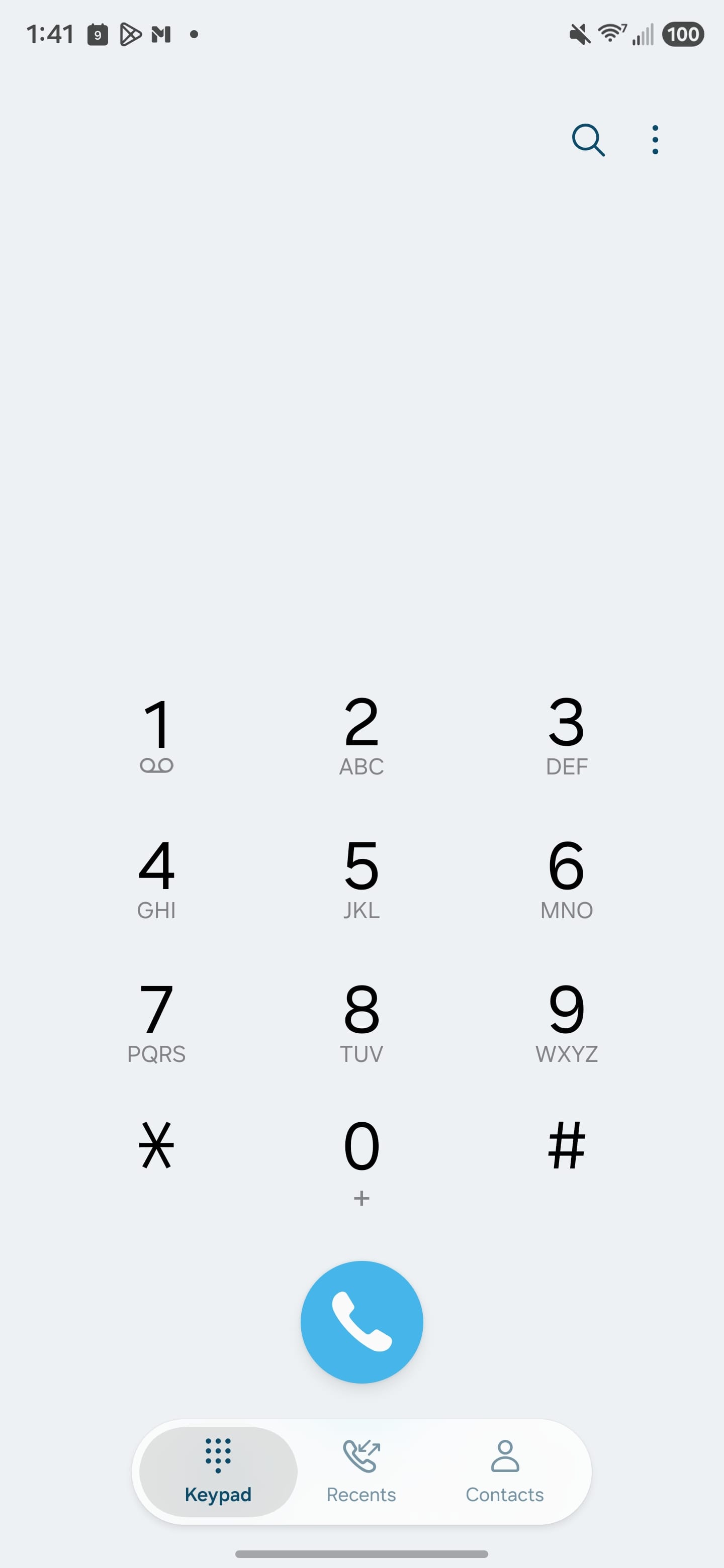

One UI 8.5
One UI 8.5 introduces a visual overhaul that will feel immediately familiar to anyone who's used iOS 26. Samsung has adopted several signature elements from Apple's Liquid Glass design language, though thankfully with more restraint than Apple's initial implementation.
Floating Everything
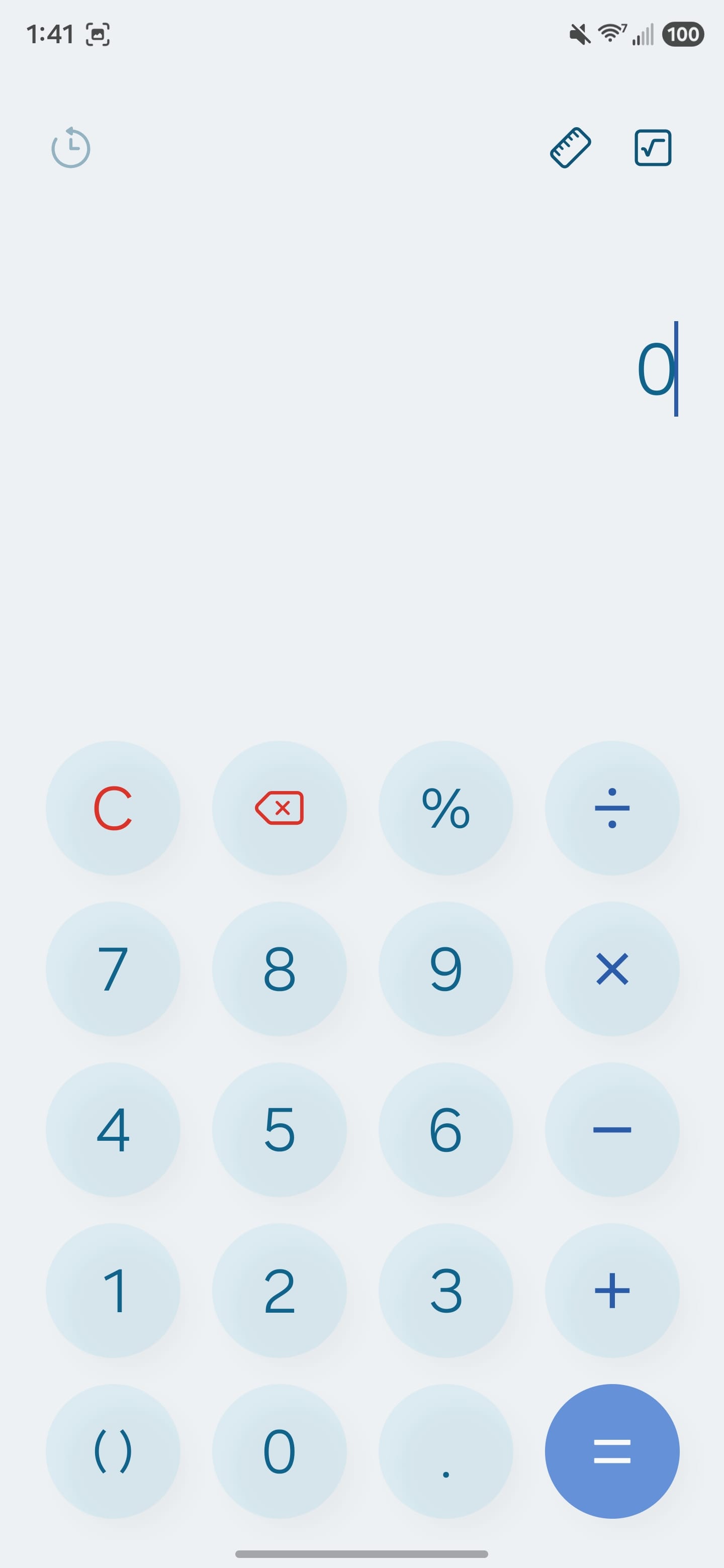
The most obvious borrowing is the prevalence of floating UI elements throughout the system. Settings now features a floating back button that hovers above the content, Samsung's first-party apps sport rounded, floating navigation bars, and the Gallery app employs subtle transparency effects. The Calculator app has received a particularly notable redesign with a 3D "pop top" effect on buttons that looks remarkably similar to Apple's approach.
This isn't Samsung's first rodeo with Apple-inspired design choices, but it's particularly interesting timing. Google has been receiving near-universal praise for Material 3 Expressive, a design language that feels fresh and distinctively Android. Samsung's decision to lean toward iOS aesthetics instead of embracing Google's design direction creates an increasingly visible divide between Samsung's first-party apps and the rest of the Android ecosystem.
The Good News: Restraint
To Samsung's credit, the company has shown more restraint than Apple did with Liquid Glass. The transparency effects are subtle rather than overwhelming, and the floating elements don't feel as visually heavy as early iOS 26 implementations. Samsung seems to have cherry-picked the least controversial aspects of Liquid Glass while avoiding the mistakes that frustrated iOS users.
The app icons for Samsung's first-party apps now feature a subtle 3D effect that adds depth without being distracting. Throughout the system, you'll notice rounded corners, floating taskbars, and gentle shadows that create visual hierarchy without the aggressive transparency that made iOS 26 initially difficult to use.
The Enterprise Implications
From an IT perspective, this design divergence presents interesting challenges. Organizations standardized on Samsung devices will increasingly find that the Samsung app experience feels distinctly different from Google apps and third-party applications. This isn't necessarily problematic—many users appreciate Samsung's unique take on Android—but it does mean more training considerations and potentially more user confusion when switching between Samsung and non-Samsung apps.
For BYOD programs mixing Samsung devices with other Android manufacturers, the inconsistency in design language across devices becomes more pronounced. IT departments should consider whether this factors into their device selection criteria, particularly for user-facing roles where consistency matters.
What's New: Content Creation Gets an AI Upgrade
Photo Assist Goes Continuous
The standout feature in One UI 8.5 is the completely redesigned Photo Assist workflow. Samsung has addressed one of the most frustrating aspects of AI-powered image editing: the constant save-review-edit cycle. With the new continuous editing mode, users can generate multiple variations of their photos without interruption, applying different AI enhancements and generative edits in rapid succession.
The real innovation here is the edit history feature. Rather than forcing users to commit to each change, One UI 8.5 maintains a complete timeline of all variations. You can experiment freely, trying different AI-generated backgrounds, object removals, or stylistic filters, then review everything at once and select your favorites. This approach transforms AI photo editing from a linear process into something more exploratory and creative.
For enterprise IT environments, it's worth noting that all AI-generated images include visible watermarks—a responsible approach to content authenticity that should satisfy corporate governance requirements.
Quick Share Gets Predictive
Quick Share has been enhanced with facial recognition capabilities that proactively suggest recipients based on who appears in your photos. It's a small but thoughtful addition that reduces friction in the sharing workflow. Rather than manually selecting contacts, the system analyzes your photo content and surfaces relevant people from your contact list.
This feature leverages Samsung's on-device AI processing to maintain privacy while delivering smart suggestions. From an enterprise perspective, this could streamline collaboration workflows, particularly for teams that frequently share visual documentation or project updates.
Cross-Device Features: The Ecosystem Advantage
Audio Broadcast: Your Voice, Amplified
One UI 8.5 introduces Audio Broadcast functionality for the Galaxy S25 series, utilizing Auracast technology over LE Audio. This isn't just about streaming music to multiple devices—Samsung has enabled voice broadcasting using the phone's built-in microphone.
The practical applications are immediately apparent. Tour guides can broadcast their commentary to groups wearing LE Audio-compatible headphones. Corporate trainers can address participants in noisy environments. Event organizers can provide real-time announcements without PA systems. It's the kind of feature that seems obvious in hindsight but represents a genuine innovation in how we think about mobile audio.
The limitation to LE Audio-supported devices will restrict initial adoption, but as the Bluetooth standard matures and more devices support Auracast, this could become a killer feature for Samsung's flagship devices.
Storage Share: The Galaxy File System
Storage Share is perhaps the most ambitious addition to One UI 8.5, and it signals Samsung's long-term strategy for ecosystem integration. The feature essentially creates a unified file system across your Galaxy devices, displaying files from tablets, PCs, and even Samsung TVs directly within the My Files app on your phone.
This isn't just cloud sync repackaged—it's genuine cross-device file access that works over local network connections. You can browse your Galaxy Book's documents from your phone, access tablet files from your TV, or pull phone photos from your PC, all without uploading to cloud storage or managing complex sharing permissions.
For enterprise environments, this could be transformative. Employees working across multiple Samsung devices can maintain seamless file access without relying on third-party solutions or VPN connections. The requirement that all devices be signed into the same Samsung account provides built-in security, though IT departments will want to monitor how this interacts with corporate data policies.
The technical requirements are specific: One UI 7 or higher, kernel version 5.15 or higher for mobile devices, Galaxy Book2 or later for PCs, and 2025+ Samsung Smart TVs with U8000 series or above. This represents a significant investment in Samsung's ecosystem, and it's clear the company expects users to go all-in on Galaxy hardware.
Security Enhancements: Protection You Can Count On
Theft Protection Gets Smarter
One UI 8.5 introduces enhanced Theft Protection features designed to secure both the device and its data in loss or theft scenarios. The standout addition is Failed Authentication Lock, which automatically locks the screen after too many unsuccessful attempts to verify identity through fingerprint, PIN, or password.
This addresses a real vulnerability—thieves attempting to break into stolen devices through brute-force attacks. The automatic lockdown ensures that even if your device is physically compromised, the data remains protected.
Identity Check has also been expanded to safeguard more settings than before, adding additional verification layers for critical system changes. For enterprise deployments, these security enhancements align well with zero-trust security models and provide additional assurance for BYOD programs.
The Quality-of-Life Improvements That Matter
Beyond the headline features, One UI 8.5 includes several refinements that demonstrate Samsung's attention to user feedback and real-world usage patterns.
Fully Customizable Quick Panel
One UI 8 introduced a split Quick Panel design that divided notifications and quick settings. One UI 8.5 takes this further by making the entire panel fully customizable. Users can now arrange, resize, and reorganize every toggle and slider to match their workflow. The interface for adding new controls has been redesigned, making it more intuitive to build a Quick Panel that actually reflects how you use your device.
For enterprise environments, this means employees can optimize their Quick Panel for work-specific toggles—VPN controls, battery conservation settings, or frequently-toggled connectivity options—without sacrificing personal preferences.
Smart View Quick Access
Screen mirroring gets a productivity boost with the ability to add Smart View shortcuts directly to the home screen. Rather than digging through settings or the Quick Panel, users can create one-tap connections to their most-used displays. For hybrid workers who regularly present from their phones to conference room displays, this removes friction from a common workflow.
Lock Screen Intelligence
The automatic Lock screen layout feature addresses a common frustration: wallpapers with faces or pets getting obscured by the clock and widgets. One UI 8.5 now automatically adjusts the layout to ensure important parts of photos remain visible. It's a small touch, but it demonstrates the kind of AI-powered refinement that makes devices feel more thoughtful.
Lock screen clock customization has also been expanded with adjustable font thickness across more styles, giving users greater control over their device's personality.
Weather and Health Integration
The Weather widget has been enhanced with precipitation forecasting, displaying a graph when rain or snow is expected in the next few hours. The Clock app now supports weather backgrounds for alarms, letting users wake up to current conditions rather than generic alarm screens.
Samsung Health receives notable upgrades, including enhanced weekly reports that incorporate medication tracking and mindfulness data. The sharing experience has been revamped to let users combine workout stats with photos for social media posts. Galaxy Watch users can now start meditations directly from their wrist without phone interaction, and Galaxy Watch8 and Watch Ultra owners can measure antioxidant levels directly from the watch.
The Small Things That Add Up
Several minor enhancements round out the update: partial screen recording lets users capture only the section they need, Calculator now suggests numbers and formulas from the clipboard, reminders can trigger early alerts to prevent missed tasks, and DeX remembers window sizes and positions between sessions. The Battery settings screen has been redesigned for clearer information at a glance, with improved Power saving options that offer both Standard and Maximum modes.
What This Means for the Future of Samsung Devices
One UI 8.5 isn't just a mid-cycle update—it's a statement of intent. Samsung is clearly positioning itself against Apple's ecosystem integration, but with a more open, flexible approach. Where Apple's ecosystem relies on tight hardware-software integration and proprietary protocols, Samsung is leveraging industry standards like LE Audio and Auracast while building powerful cross-device features that work across broader device categories.
But the Liquid Glass-inspired design choices raise questions about Samsung's long-term software strategy and its relationship with Google's Android vision.
The Design Identity Crisis
Samsung faces a fascinating tension: it needs to differentiate from both Google and Apple while maintaining compatibility with the broader Android ecosystem. The Liquid Glass inspiration suggests Samsung sees iOS design as aspirational, even as Android's Material Design continues to evolve in different directions.
This creates a curious dynamic where Samsung devices increasingly look and feel different from both stock Android and other manufacturers' implementations. For users deeply invested in the Galaxy ecosystem, this differentiation is valuable—it's what they're paying for. But it also means the experience of using a Samsung phone diverges further from the "Android" experience, which could complicate platform-switching decisions in the future.
From an enterprise IT perspective, this matters. Organizations evaluating mobile platforms aren't just choosing between iOS and Android anymore—they're choosing between distinct Android flavors with increasingly different user experiences. Samsung's design direction, particularly if it continues to mirror iOS aesthetics, might make it easier for IT to support mixed iOS/Samsung fleets since the interfaces will feel more similar. But it also means investing more heavily in Samsung-specific training and documentation.
The Ecosystem Play
The Storage Share feature in particular reveals Samsung's long-term strategy. By creating genuine utility that spans phones, tablets, PCs, and TVs, Samsung is incentivizing users to stay within the Galaxy ecosystem. This isn't lock-in through proprietary cables or exclusive features—it's value creation through seamless integration.
For enterprise customers, this ecosystem approach could be compelling. Organizations already standardized on Samsung devices gain additional productivity benefits without deploying complex MDM policies or third-party sync solutions. The challenge will be ensuring these features work reliably in corporate environments with strict security requirements.
AI as Infrastructure
The continuous Photo Assist workflow demonstrates how Samsung is thinking about AI integration. Rather than treating AI as a collection of individual tricks, Samsung is building it into fundamental workflows. The edit history approach acknowledges that AI-generated content needs iteration and experimentation—it's not about getting the perfect result on the first try, but about enabling rapid exploration of possibilities.
This philosophy could extend to other areas as Samsung continues developing One UI. Imagine continuous AI assistance in document editing, presentation creation, or even code development. The technical foundation is being laid in One UI 8.5.
The Audio Revolution
Audio Broadcast might seem like a niche feature today, but it represents Samsung's bet on the future of wireless audio. As LE Audio adoption grows and Auracast becomes standard, the ability to broadcast voice or audio to nearby devices could become as common as Bluetooth pairing is today.
Enterprise applications are particularly promising. Warehouse operations, healthcare facilities, educational institutions—any environment where clear audio communication across groups matters could benefit from this technology. Samsung is positioning its flagship devices as the hub for these experiences.
Rollout and Availability
The One UI 8.5 beta launched December 8, 2025, for Galaxy S25 series users in Germany, India, Korea, Poland, the UK, and the US. Users can apply through the Samsung Members app, following Samsung's established beta testing program structure.
The phased rollout suggests Samsung wants extensive testing before broader deployment, particularly for features like Storage Share that require precise coordination across multiple device types. Enterprise IT departments planning Samsung deployments should monitor beta feedback and plan accordingly.
Bottom Line: Innovation With an Identity Question
One UI 8.5 won't make headlines the way a new flagship phone launch does, but it might be more important for Samsung's long-term competitive position. The ecosystem integration features, practical AI implementations, and cross-device utility build a compelling case for Galaxy device loyalty. The enhanced security features and enterprise-friendly capabilities demonstrate Samsung's continued commitment to the business market.
But the Liquid Glass-inspired design overhaul introduces an interesting complication. Samsung is simultaneously trying to differentiate from Apple while borrowing visual cues from iOS, creating an identity that's neither fully Android nor fully distinct. Whether this strategy succeeds depends on execution—if Samsung can deliver the visual polish of iOS while maintaining the flexibility and openness that Android users expect, it could be the best of both worlds. If it just creates visual confusion between platforms without adding meaningful value, it's a missed opportunity.
The beta status means some features may change before stable release, and the exclusive Galaxy S25 availability for certain features creates a clear upsell path for Samsung's flagship lineup. But the underlying vision is sound: devices should work together seamlessly, AI should enable creativity rather than replace it, and security should be automatic rather than cumbersome.
For enterprise IT professionals evaluating mobile platforms, One UI 8.5 deserves serious consideration. The enhanced security features, cross-device file access, and professional audio capabilities could deliver real productivity gains, particularly for organizations already invested in Samsung hardware. The design changes may actually ease the transition for users familiar with iOS, though they do create a wider gulf between Samsung's Android and everyone else's.
As One UI 8.5 moves from beta to stable release and expands to additional Galaxy devices, watch for user reactions to the design changes and whether Samsung's feature implementations deliver on their promise. The technical foundation is impressive—now comes the question of whether users embrace Samsung's new design direction or long for the Material Design consistency that's increasingly absent from Samsung devices.
What features in One UI 8.5 are you most excited to try? Are you part of the beta program? Share your experiences in the comments below.


Discussion